
Organizing and Accessing Learning Files Made Easier
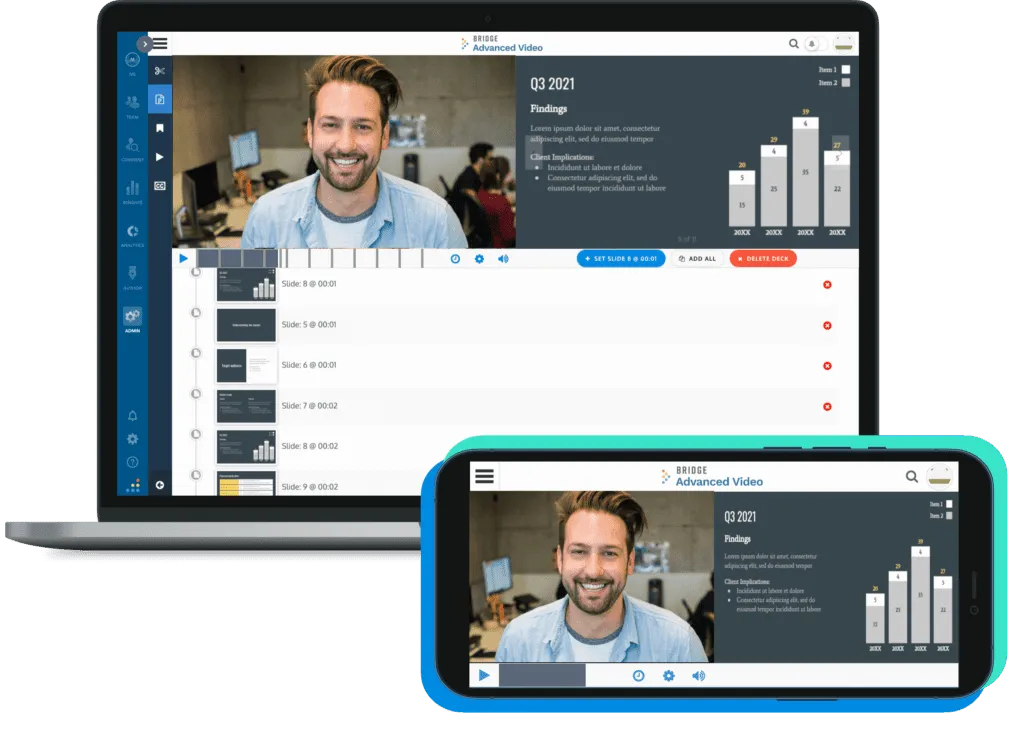
Content Management System & Video Editor in One
Bridge Advanced Media (BAM) is a powerful centralized file repository with a built-in video recording and editing tool in one. All of your learning materials – PDFs, videos, PowerPoint, Excel, Word documents, SCORM, and more – can be stored in a central location.
Plus, documents only need to be updated in one place – and the changes are automatically reflected across all courses and locations that include that asset. This means workflows are more efficient among content creators, subject matter experts, and instructional designers.


Centralized Resource Library
No more scrambling to find scattered files. All your learning files and materials are stored in one easily accessible place, simplifying management for both creators and learners.
Learners can easily locate the documents they need rather than getting lost in file directories.
Creators need to make updates just one time, and any course that uses the file will automatically reflect those changes.


Easy to Access and Find Documents, Anytime
Provide quick access to resources without the need to enroll or re-enroll learners in a course.
Advanced search functionality allows learners to search for files, attachments from courses, and even video transcripts.
Built-in Video Creation Tools
Engage your learners with diverse learning content by utilizing our integrated video recording and editing features. Create professional-quality videos directly within the platform without needing additional software. No expertise needed!


Bridge LMS Content Management Frequently Asked Questions
What file types can be uploaded to Bridge Advanced Media?
Any file type that you can think of – PDF, Excel, Word, etc.
What file types are viewable in BAM?
PDFs and Videos!
Is there a max file size?
There is no max file size, but performance can be impacted around 7GB total file size (mainly due to internet connection and timeouts). There are options for compression without compromising video quality, if that is the case.
What’s a media course?
You can create a course with a single media item to become a Media Course. This will allow videos or PDFs to display in full screen. You can now require users to watch an entire video (or part of a video) before being marked completed in the item using the ‘Required Score’ setting.
Can I make a container public facing, so that I can expose content to learners who don’t have Bridge accounts?
Yes, contact our Support Team. and they will enable it on the container(s) of your choosing!
Can I restrict who sees what in the Resource Library using Bridge’s roles and Permissions functionalities?
No, at this time you can’t, but you can restrict what containers everyone can access/view.
How do you get BAM resources to show up in your Learning Library tabs as a resource Library?
Contact Bridge Support ([email protected]) and they will enable it for you!
Can I rename what I want the resource library to show up as a tab?
Yes!
Schedule a Time to
Talk with our Experts
We'd Love To Show You More!
Fill out the form and one of our experts will be in touch with you shortly.


