Incredible Customer Support
We offer first-class customer onboarding and implementation because we’re your partner from day one. Once you’re live, support is available 24 hours a day, 7 days a week, 365 days a year.
Bridge Advanced Media (BAM) is a powerful centralized file repository with a built-in video recording and editing tool in one. All of your learning materials – PDFs, videos, PowerPoint, Excel, Word documents, SCORM, and more – can be stored in a central location.
Plus, documents only need to be updated in one place – and the changes are automatically reflected across all courses and locations that include that asset. This means workflows are more efficient among content creators, subject matter experts, and instructional designers.
No more scrambling to find scattered files. All your learning files and materials are stored in one easily accessible place, simplifying management for both creators and learners.
Learners can easily locate the documents they need rather than getting lost in file directories.
Creators need to make updates just one time, and any course that uses the file will automatically reflect those changes.
Provide quick access to resources without the need to enroll or re-enroll learners in a course.
Advanced search functionality allows learners to search for files, attachments from courses, and even video transcripts.
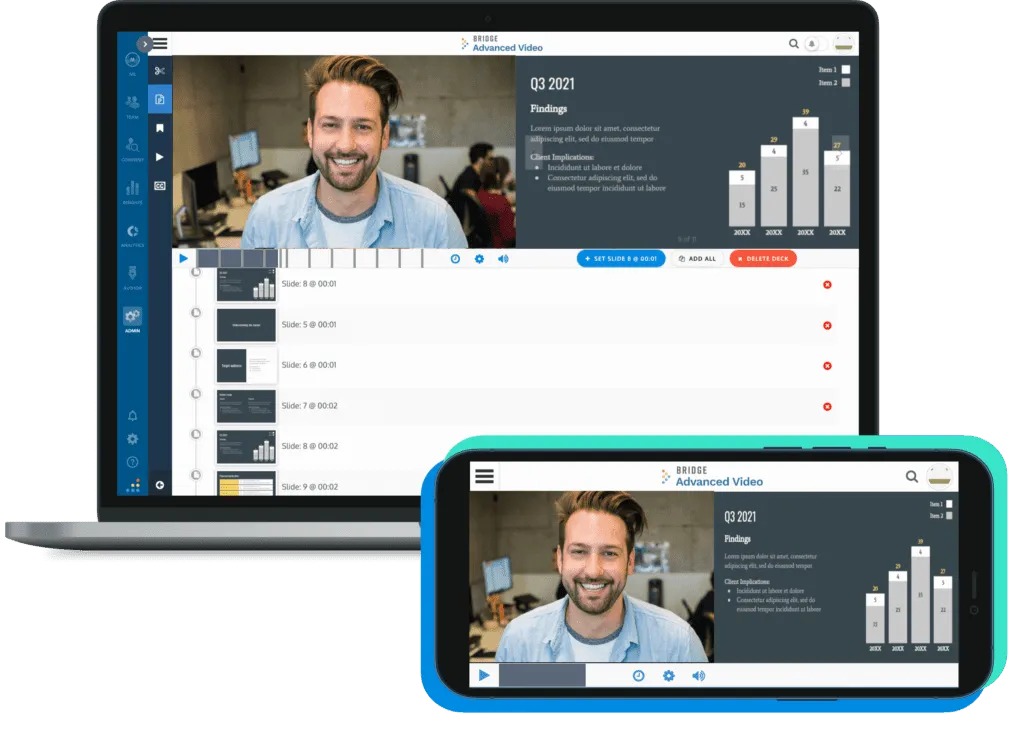
Engage your learners with diverse learning content by utilizing our integrated video recording and editing features. Create professional-quality videos directly within the platform without needing additional software. No expertise needed!
We offer first-class customer onboarding and implementation because we’re your partner from day one. Once you’re live, support is available 24 hours a day, 7 days a week, 365 days a year.
Any file type that you can think of – PDF, Excel, Word, etc.
PDFs and Videos!
There is no max file size, but performance can be impacted around 7GB total file size (mainly due to internet connection and timeouts). There are options for compression without compromising video quality, if that is the case.
You can create a course with a single media item to become a Media Course. This will allow videos or PDFs to display in full screen. You can now require users to watch an entire video (or part of a video) before being marked completed in the item using the ‘Required Score’ setting.
Yes, contact our Support Team. and they will enable it on the container(s) of your choosing!
No, at this time you can’t, but you can restrict what containers everyone can access/view.
Contact Bridge Support ([email protected]) and they will enable it for you!
Yes!