Coming soon to Bridge

Use Your Own AI With Bridge MCP

You use AI for everything else. It's time your LMS joined the conversation.

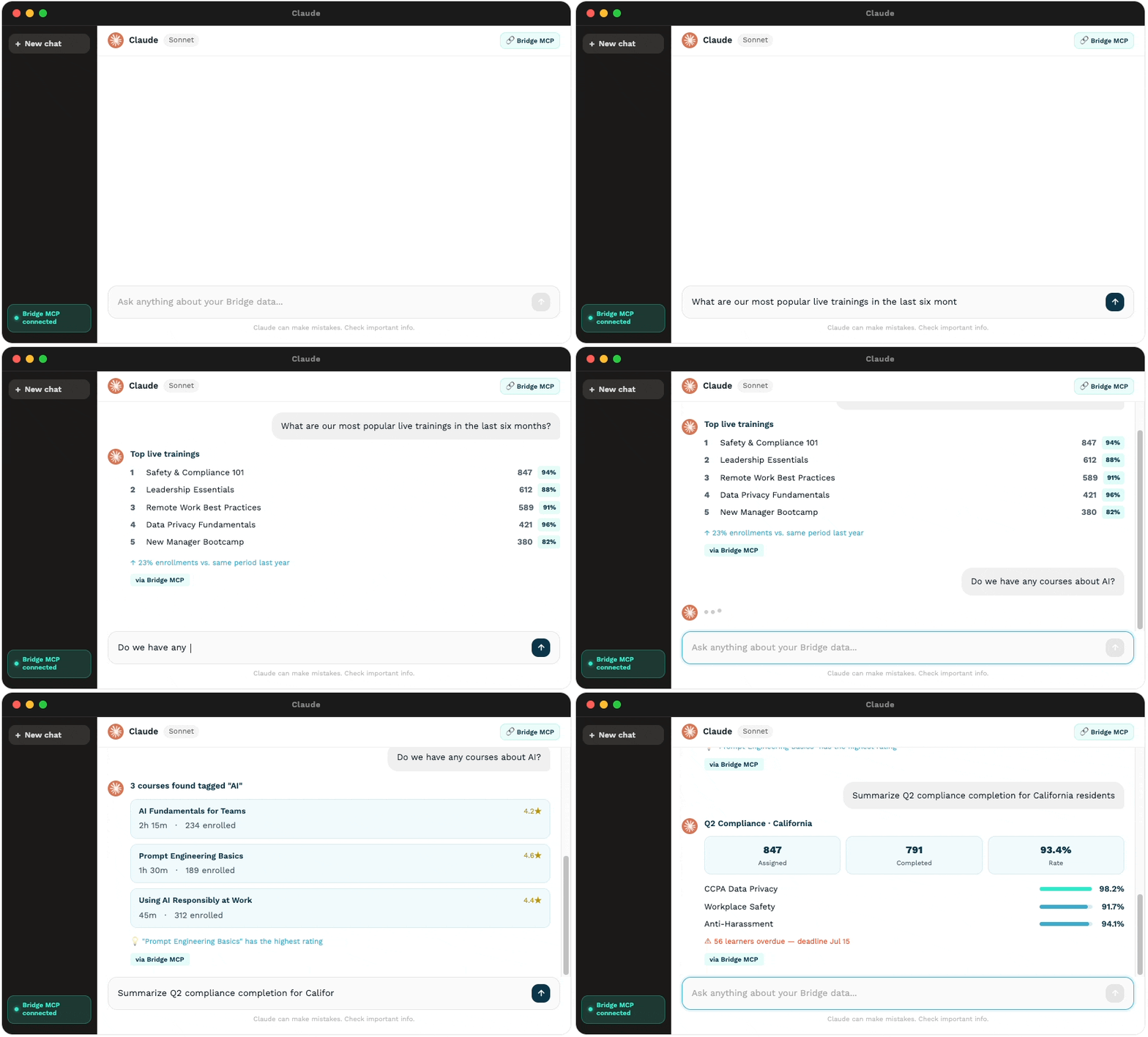
The Bridge MCP Connector lets your company’s AI access workforce and learning data to recommend training, guide decisions, and complete tasks.

See Bridge MCP in action

Works with ClaudeChatGPTCopilot, and Gemini, and more.

New term? We've got you

Wait, what's an MCP?

MCP stands for Model Context Protocol. This is the secure connector that lets AI assistants (like ChatGPT) safely talk to other software.

Why would my company need this?

If you’re using an AI assistant like Claude, ChatGPT, Copilot or Gemini, these tools don’t know what’s going on inside of Bridge. You might already be uploading completion data or metrics, but an MCP connection removes the manual work. The connector gives your AI a secure, permissioned way to look things up in Bridge and even take action on your behalf — the same way you’d ask a coworker for a favor.

How it works

1

You Connect Securely

Link your company's AI to Bridge. It's a one-time setup, no developers required.

2

Your AI Gets to Work

Once connected, your AI can spot trends, highlight data and help with decision-making.

See it in action

What you can do with Bridge MCP Connector

Access Learner Insights

View completions, compliance status, skills gaps, and learning trends.

Surface Popular Content

Identify top-performing courses and trending learning programs.

Increase Learner Participation

Trigger reminders through your company’s messaging platforms

Monitor Compliance Progress

Track required training completion and compliance readiness.

Have questions?

Frequently Asked Questions

Which AI assistants will work with Bridge?

The Bridge MCP is designed to work with any MCP compatible AI Agent.

Do I need IT or a developer to set this up?

No developers required. Connecting your AI assistant to Bridge is designed to be a one-time setup any Bridge admin can handle directly, without writing any code.

Is my data secure when using the MCP connector?

Yes. The MCP connector acts as a secure pass-through layer that respects your existing account permissions. AI assistants can only view or interact with the data you already have permission to access.

Can my AI just read data, or can it actually do things in Bridge?

At this time, your AI can only read the data in Bridge to answer questions and take action in other systems, it cannot write back into Bridge. In the future, your AI will be able to take action on your behalf, like enrolling people or deleting courses.

Be first to bring your AI to Bridge

Book a strategy call today to prepare your team and see how upcoming AI features will drive learner participation and compliance.

Connect Your AI With Bridge

Save even more time with Bridge MCP Connector

Let’s Talk Strategy

Use your business email so we can add you correctly