

How Bridge LMS Uses AI to Solve Repetitive Tasks
Bridge technology leverages AI so you can do your job faster, smarter, and bring a more personalized learning experience to your people.
- Build a data-driven taxonomy that stays current with global labor market shifts.
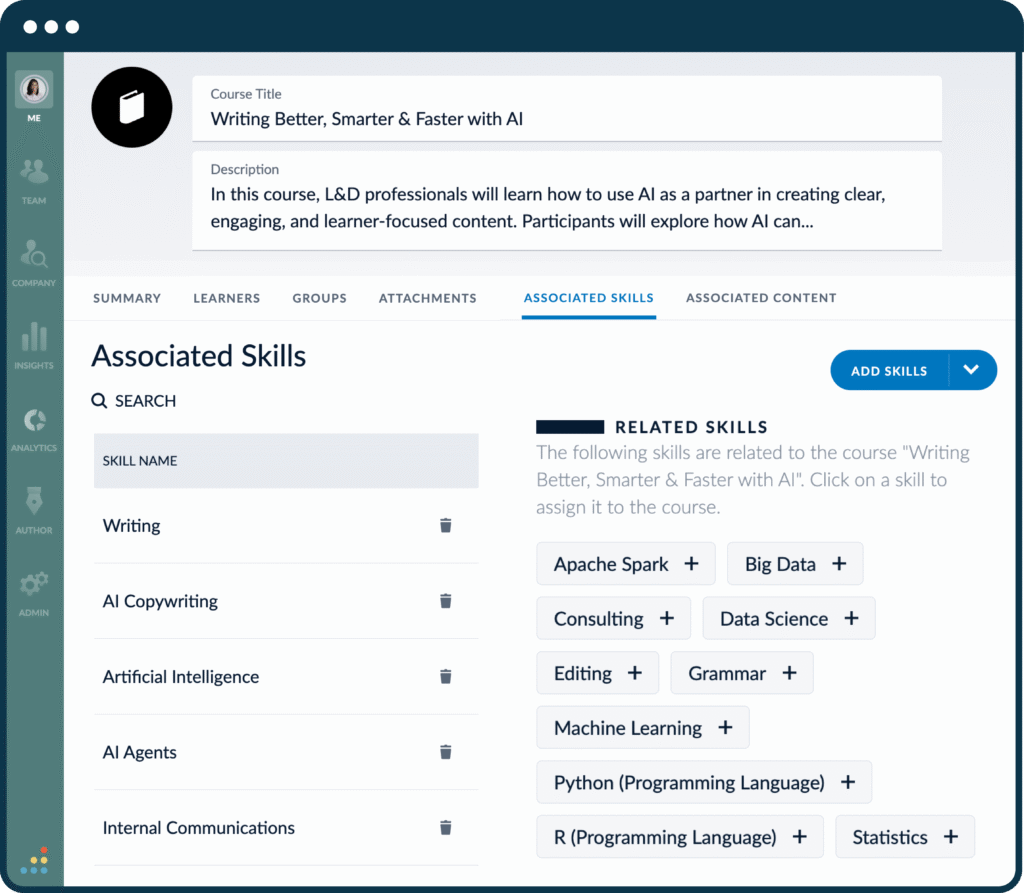
- Our AI tags courses with skills which turns your library into a searchable, organized catalog that gets the right training to the right learners.
- Translation for global teams
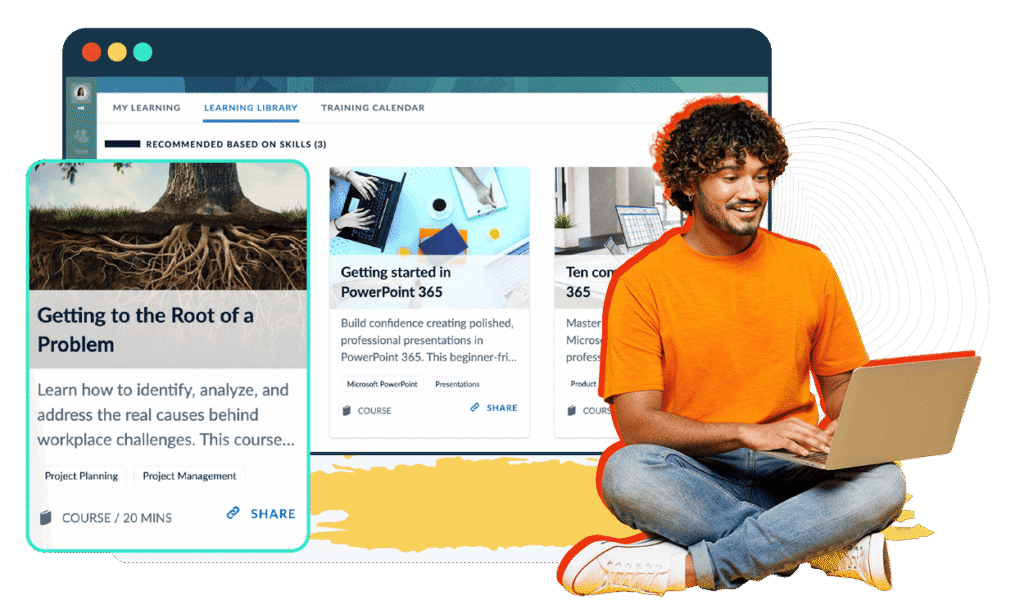
- Personalized learning recommendations based on skills that need to be built.
AI Powered Skills Tagging & Mapping
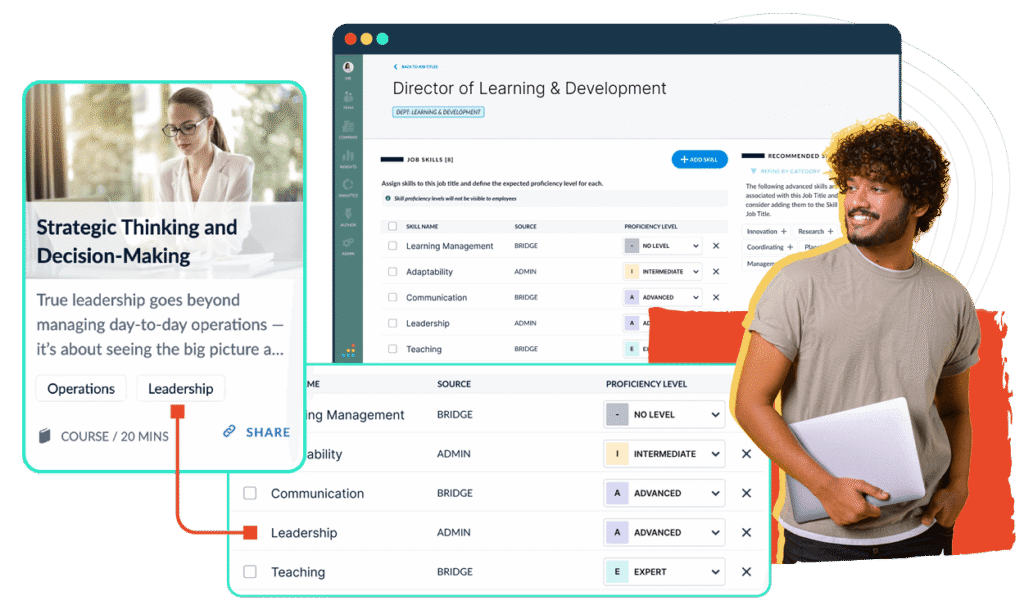
Bridge AI uses Lightcast’s global market data to analyze all of your job titles and suggest relevant skills. Lightcast has a massive database of over 30,000 skills, giving you confidence that the recommended skills are based on the most recent labor market data.
Personalized Learning Recommendations with AI
Bridge utilizes Lightcast labor market data to intelligently scan your course titles and descriptions. Bridge then maps and tags relevant skills for each course. Once tagged, content will be suggested to learners who will be more invested in their training because it aligns with the skills they need to build.
“In the rapidly evolving landscape of AI, Bridge is dedicated to integrating these advancements across our platform to eliminate tedious manual work. By automating our routines, we empower our customers to focus on what matters most and boost their daily productivity.”
Szabi, VP of Engineering at Bridge
AI-Assisted Course Creation & Translation
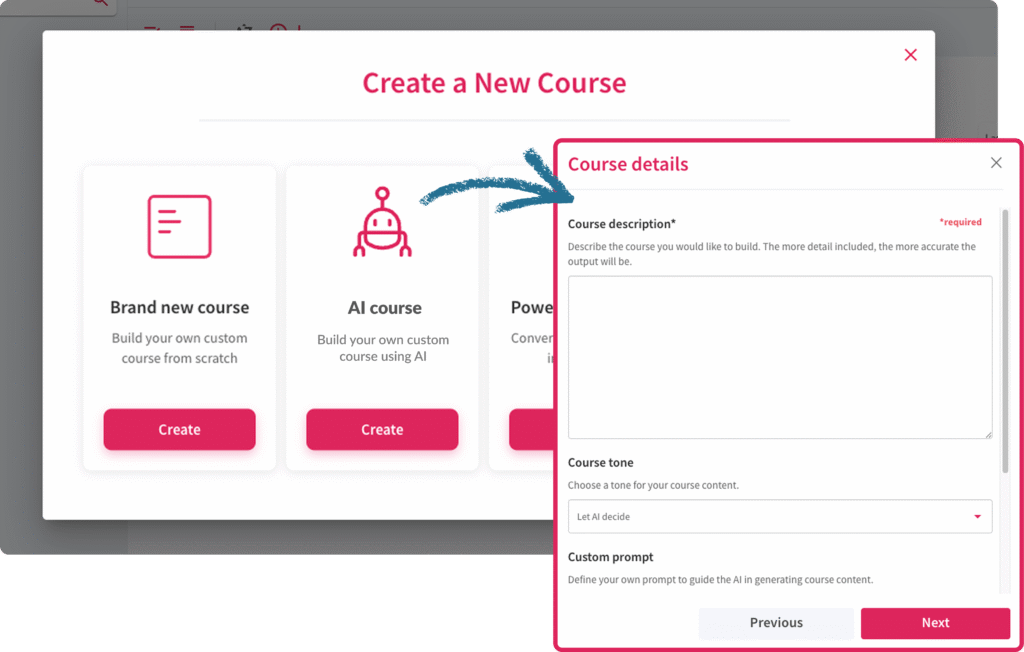
Easily generate entire courses from scratch and translate them in just one click. You can also auto-generate learning objectives, course introductions, or summaries to eliminate tedious tasks from your day. Bridge Author Pro will seamlessly connect with your company’s OpenAI connection.
- 90% reduction in course-creation time
- 95% reduction in translation costs
- 5x increase in instructional design productivity
AI Agent Boosts Learner Engagement
An AI Agent is built into our Talent Suite content powered by Skillsoft. Learners can ask the agent course-specific questions, leading to more engagement and knowledge retention.
Verified G2 Reviews

“Bridge is very easy to use from both an admin and learner perspective. The navigation is intuitive, which cuts down on the amount of time we spend teaching people how to use the system and lets us focus on the training itself.”
Dylan P.
Sr. Manager, Documents and Training

“The setup process of Bridge was quite straightforward and faster than I anticipated, taking us only eight days to launch. This efficiency in implementation made the transition from our previous system much smoother.”
Cristian C.
Training Manager

“What we found when looking at employee development solutions is that some were very good at learning, some were very good at performance, and some were very good at engagement, but Bridge was the only one that did all three well.”
Tom H
Learning & Development Manager
Reviews collected and hosted on G2.com
Resources for Corporate Training & Development
Bridge Learning Management System FAQs
Most frequent questions and answers
Not at all. AI in Bridge should act as a foundation rather than a replacement. It provides a massive, pre-built library of 30,000+ skills based on real labor market data pulled from Lightcast. You can use this to then map skills to your existing framework. The data from Lightcast combined with Bridge AI will keep your taxonomy updated as industries shift.
AI uses natural language processing (NLP) to scan the actual transcripts and metadata of your courses. While it is incredibly fast tagging thousands of courses in seconds, there should always be human oversight. In Bridge, the AI suggests tags, allowing admins to approve or refine them, ensuring 100% accuracy with minimal manual effort.
If an employee asks why they were suggested a certain course or career path, admins can see the specific skill gap or career objective that triggered the recommendation, allowing for transparency and human override when necessary.
We have a partnership with Lightcast, a global leader in labor market analytics, skills data, and talent intelligence. It is the source that powers our skills data. They combine and standardize billions of job postings, resumes, and profiles, offering insights that we use to help with workforce planning.
Translation in Bridge Author Pro leverages the advanced language capabilities of OpenAI to provide instant, contextual translations across your course library. All AI-driven translations are powered directly by your company’s specific OpenAI account. By using this Bring Your Own Key (BYOK) approach, Bridge ensures that your proprietary training content remains within your secure AI environment.
Admins can still assign required training and it will be segmented differently for the learner. The AI analyzes an employee’s skill gaps for a particular career/job role, and suggests relevant learning/training. AI will then recommend voluntary courses for developmental purposes and will be offered in the Learning Library.
No. Bridge does not use customer data to train public or shared AI models.
Your company’s content and employee data remain securely isolated within your tenant environment. When AI features are used (such as skill recommendations or content generation), your data is processed solely to generate outputs for your organization.
Bridge works with trusted AI providers like Amazon Bedrock. These providers use pre-trained models built on external datasets. Your data is not used to retrain or fine-tune those models and is not shared across customers.
Our APIs use HTTPS and do require authentication. This is handled by a customer specific encoded secret that has to be passed in the header of the calls. We also have a rate limiting mechanism implemented to avoid DoS attacks.