What Should You Do Before the New Hire’s First Day?
Share basics such as the new hire’s schedule and which documentation your HR department will need to see first. This guarantees that their first day will be as stress-free as possible. Keep in regular contact to establish good rapport and encourage honest communication.
- Tell their team
Inform the new hire’s co-workers/team and share highlights related to their skills or experience. This gets their team excited about their new co-worker, their strengths, and the skills they’ll soon be bringing to the table. It’s also a good opportunity for their teammates to think about any knowledge and skills they can share.
- Find out what’s important to them
Send a quick email or questionnaire to discover how they like to communicate, what makes them feel appreciated, and what matters to them.
- Get their equipment ready
Whether they’re remote, on-site, or hybrid, collaborate with colleagues in IT to ensure access to all hardware and software is ready before they start. Send login details ahead of time and ensure remote employees have their equipment and home workspace ready to go.
What Activities Are Essential for Day One?
Keep day one short and focused. This is the time to cover essential information and introduce them to their colleagues without overwhelming them.
- Send them a personal welcome
Record a short video from the team welcoming them on board. A friendly, personalized message helps break the ice. Use a combined content management system and video editor to streamline the process.
- Give them a tour
Whether in-person or remote, provide a clear run-down of the office or the virtual workspace, team structures, and workflows.
- Organize and schedule role-specific training
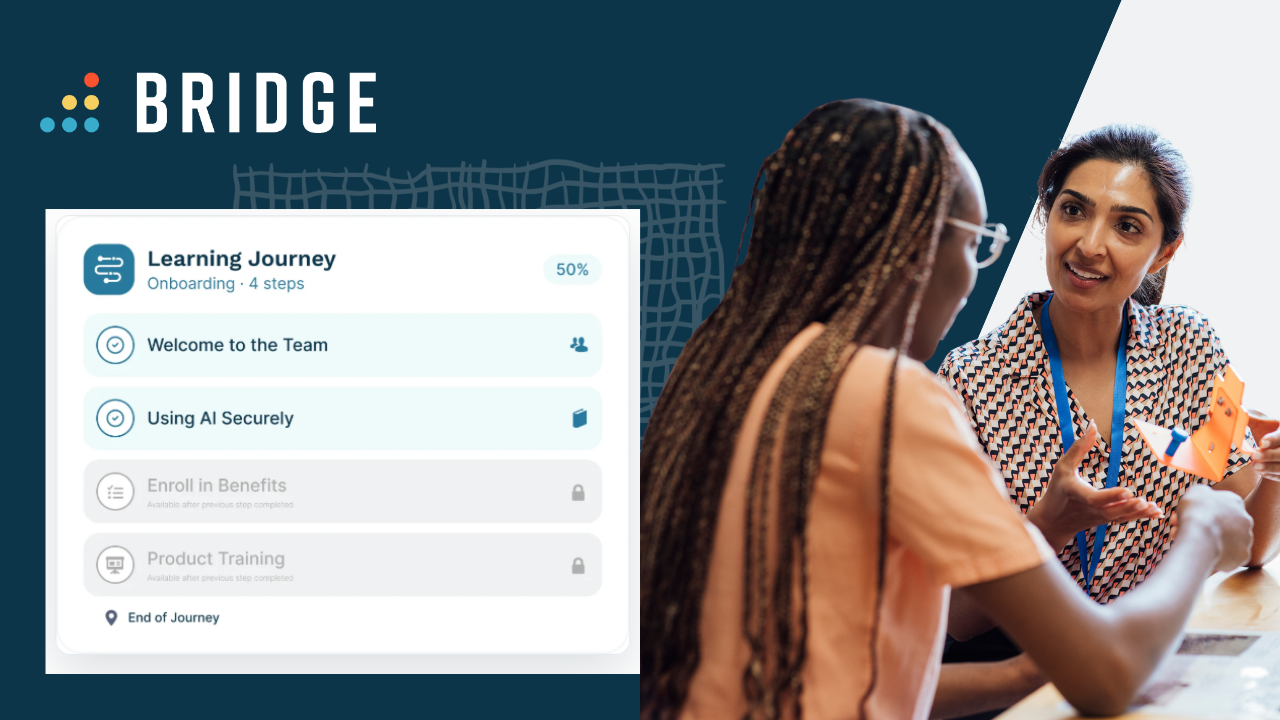
Introduce the tools they’ll use daily. This is also a good opportunity to introduce them to your learning management system (LMS).
- Send company information
Send your employee handbook, details about organizational structure, policies, and the details that might help them feel more familiar with your company. You want to make sure they’ve got all the information they need to be sure of your policies and structure. Addressing AI-related work practices directly is particularly important.
How Can You Align on Company Policies and AI Usage?
Get ahead of any AI misuse by ensuring new hires understand your operational standards. This is the right time to:
- Outline AI usage and enablement
Clearly define which tools are approved (e.g., ChatGPT Enterprise, Copilot, internal LLMs), provide basic prompt guidelines, and share where they can go for internal help.
- Clarify security and data handling
Be explicit about what information can or cannot be pasted into AI tools, including customer data, PII rules, and IP/confidentiality boundaries to mitigate shadow IT risks.
- Mandate acceptable use policy comprehension
Require an explicit, documented acknowledgment of AI usage policies, similar to a code-of-conduct signature.
- Provide role-specific AI training
Differentiate between general AI literacy and specialized training (e.g., teaching sales teams how to use AI assistants vs. engineers using coding products).
- Use Bridge LMS to Create Role-Specific Learning Pathways
Bridge LMS leverages AI to automatically tag content and recommend learning based on an employee’s job role, so you don’t need to offer one-size-fits-all training or invest hours of manual course admin.
- Appoint an onboarding buddy
Match them up with a colleague who can assist them if they have questions and offer them support in the early days.
- Schedule HR introductions
Provide information about policies and benefits and check relevant documentation in these sessions. Make sure new starters know who to ask if they have any questions, plus how they go about raising HR requests.
- Send a welcome card
Arrange for a welcome card to arrive with a short, handwritten message from someone who was involved in the hiring process. Their note should welcome them on board and call out something memorable they found impressive about them while hiring or during the interview.
What Should Happen During the First Week?
Use this time to ease new hires into their workload and establish consistent communication channels.
- Organize and schedule onboarding training
Assign role-specific training to help new starters familiarize themselves with company culture and processes.
- Schedule a team meeting
Invite new hires to a team meeting where they can break the ice with their co-workers and learn more about their role from their more experienced colleagues. If you’re based in one location, schedule a team lunch or an activity away from the office, and for remote workers, arrange a team call and have lunch delivered to them.
- Schedule regular 1on1s
Have managers meet with their report every day during the first week. Managers need to check that new hires are comfortable with their workload, know what’s expected of them, and have everything they need. Be sure to empower managers with the right 1on1 tools like templated conversation starters.
How Do You Support Growth Beyond the First Week?
It’s time to move from basic onboarding to longer-term growth. This is where you can start embedding the professional development tools that keep talent engaged.
- Set individual goals
Move beyond basic performance goals. With a skills platform like Bridge, you can set goals that align with your organizational needs. With a dynamic database of over 30,000 skills, you can ensure their goals are actionable, relevant, and growth-oriented from the very beginning.
- Build a personalized development plan
Shift focus to the future. Share a tailored employee development plan with learning materials to help them build their skills for the long term.
- Meet the wider team
Time to introduce the new hire to the rest of your business. Seeing how their work fits into the bigger picture and who they may be collaborating with on future projects reinforces their sense of being a valued part of the organization.
- Ensure regular 1on1s are scheduled
A 1on1 with a manager shouldn’t just be for quarterly reviews or yearly appraisals but an ongoing point of contact where matters can be raised and addressed in a less formal setting.
What Should Be on Your List in the First 30 Days?
- Maintain momentum with ongoing feedback
New starters need lots of feedback in the first month to stay on track. Ensure managers integrate regular skills and Start/Stop/Continue feedback into their 1on1s. By using Bridge for feedback to validate proficiency growth, you keep employees and managers aligned on strengths and development areas, ensuring development is a proactive, daily habit.
- Visualize the future with career pathing
Support managers to highlight the skills new hires possess and map them against future roles. When new hires wonder what’s left they lose momentum during the crucial first 30 days at the org. But a transparent conversation allows employees to visualize their potential trajectory, helping them understand exactly which skill gaps they need to close to reach their next career milestone.
- Conduct a 30-day pulse check
Schedule a dedicated review to reflect on their journey so far. Use this conversation to identify wins, address any lingering questions about processes, and ensure their initial goals remain aligned with their current workload. This check-in is the perfect way to reinforce their value and reset expectations for the months ahead.
What Is the Best LMS for Onboarding and Employee Learning?
Bridge is an all-in-one Learning Management System (LMS) and talent development platform. It helps organizations unify learning, skills, and performance management to automate administrative tasks and identify skill gaps during the crucial onboarding period. Transform your onboarding from a static checklist into a dynamic growth engine, automate administrative tasks, identify early skill gaps, and empower managers with the structured coaching workflows they need to accelerate time-to-productivity for every new hire. Get in touch today to see what Bridge can do for you.